The Ethereum-based SAFE can be used to manage a SKALE Chain, IF set as the SKALE Chain owner during creation. It operates using SKALE’s Native IMA bridge to execute on a SKALE Chain.

Sending Transactions on SKALE Chain

Sending transactions to your SKALE Chain requires encoding the function data to execute via both Marionette and IMA. The recommended way for this is to use the multisigwallet CLI from SKALE.

Prepare Transaction Data

This uses the encodeData command from MultisigWallet CLI
The following example will help you grant a specific role to an externally owned account (EOA) on your SKALE Chain. This can be useful in the early days of setting up your chain to help distribute sFUEL with scripts as needed.

Submit Transaction to SAFE

  1. Go to SAFE App or your preferred frontend for SAFE.
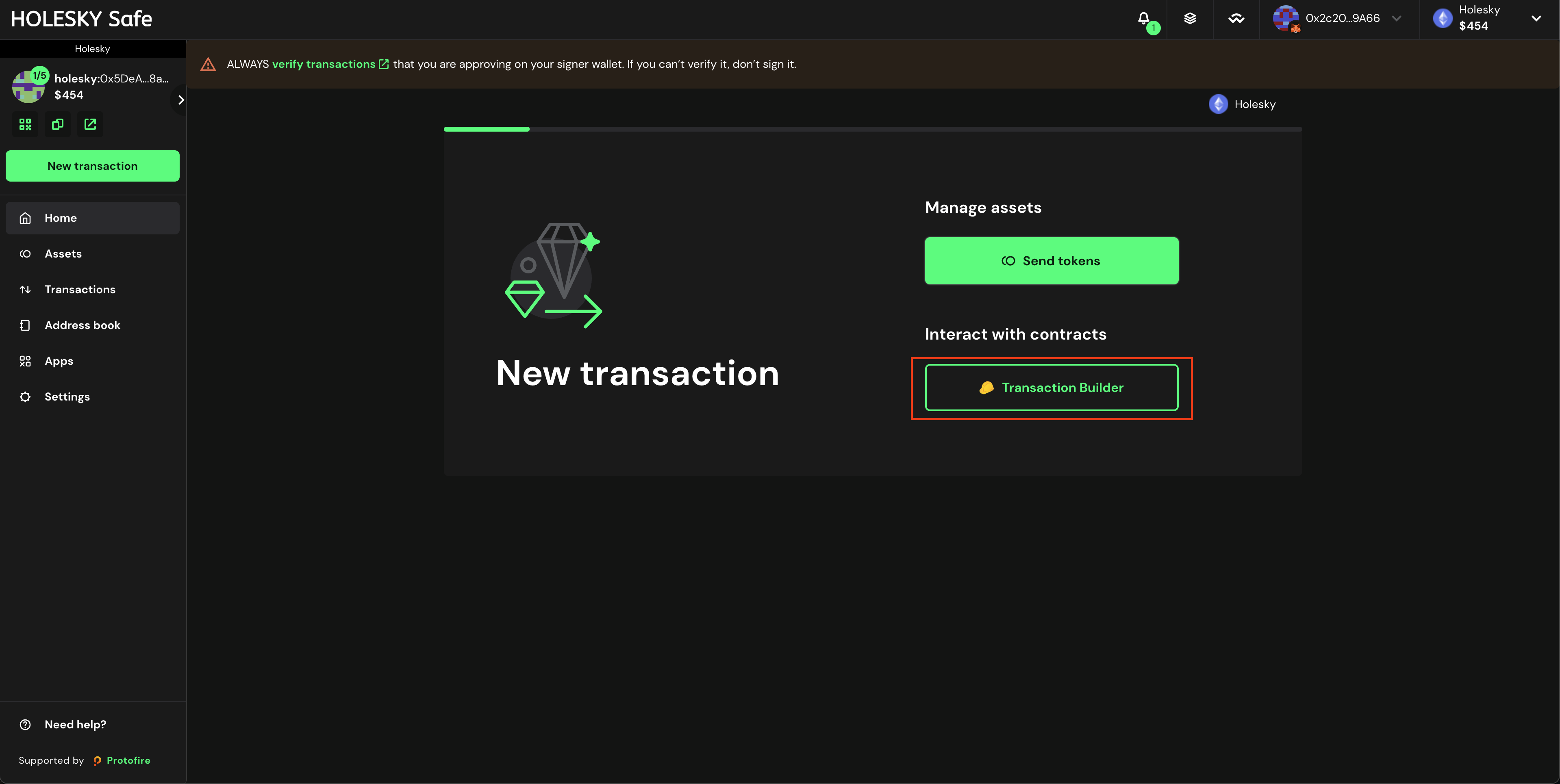
  2. Press New Transaction and then Transaction Builder
Click on Transaction Builder
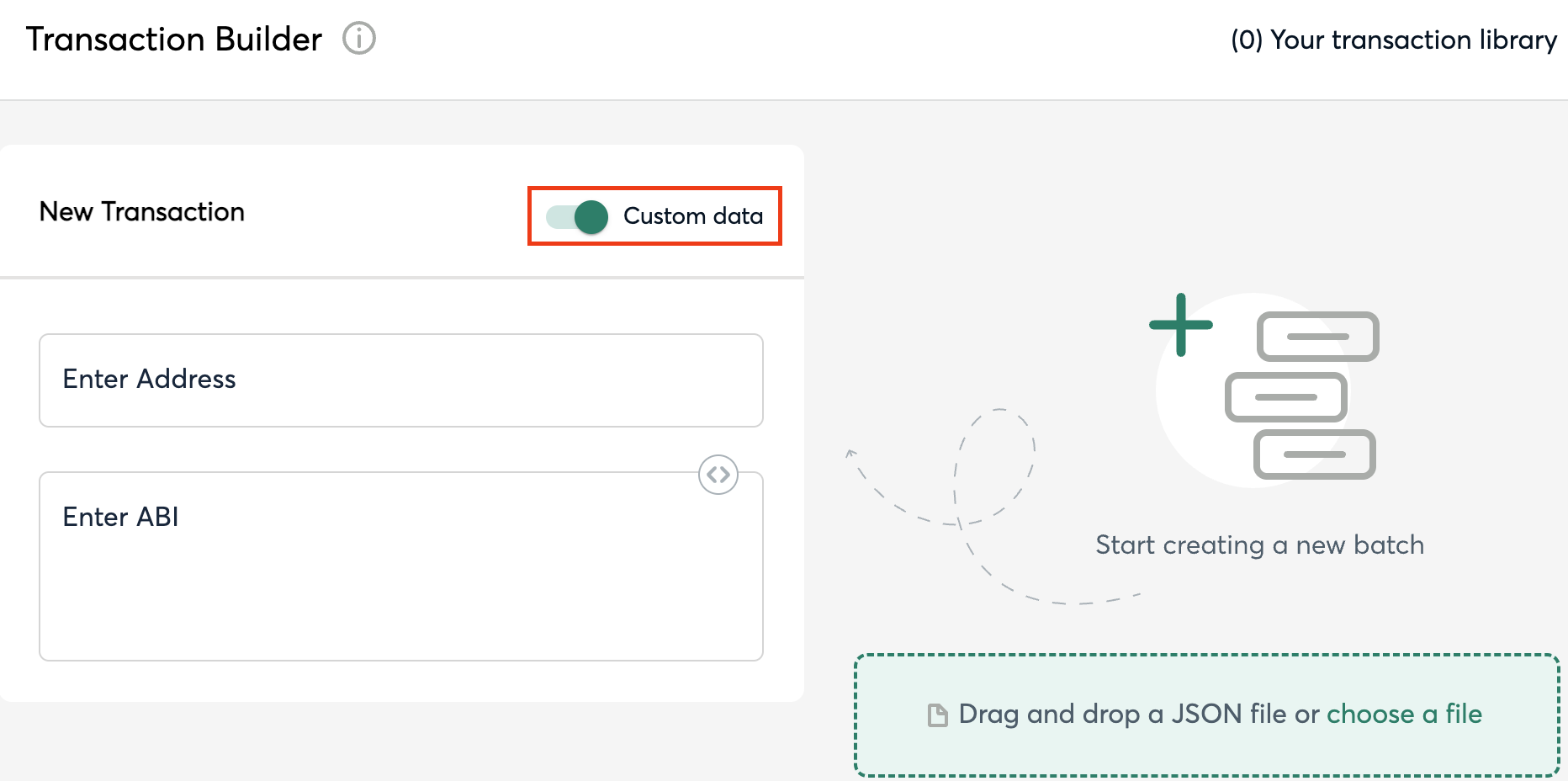
  1. Enable the toggle Custom Data
Enable the custom data toggle
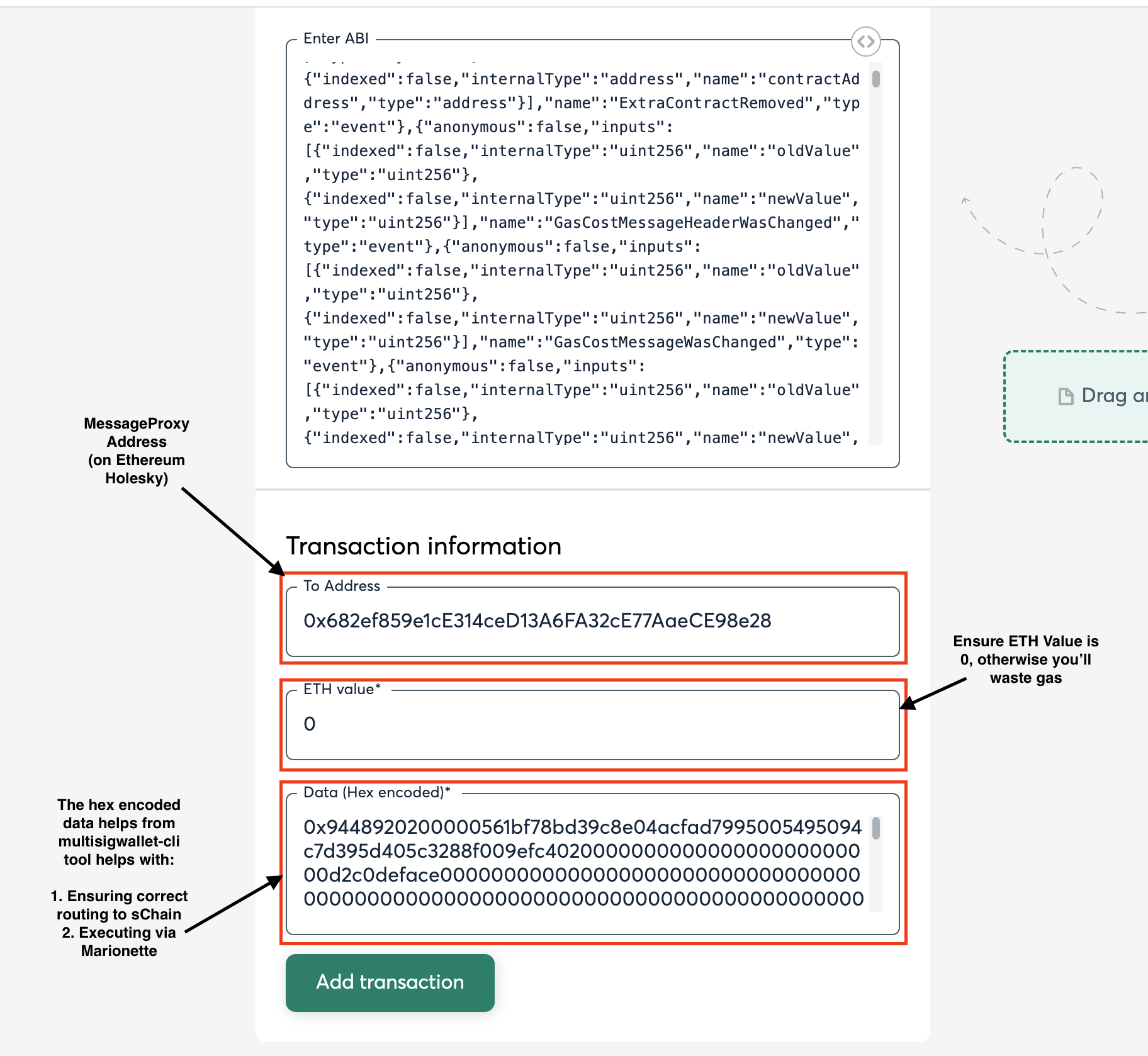
  1. Input the MessageProxy address for your correct environment into the Contract Address field and select Use Implementation ABI
MessageProxy Contract Addresses
  1. Input 0 for ETH Value
  2. Input the above Output from the npx msig... command into the Data (Hex Encoded) field (see image).
Transaction Prepared in SAFE
  1. Click Add transaction, scroll down, and click Create Batch, then click Send Batch. Tenderly simulation is generally available, even on testnet, and is encouraged to be used to see all the changes occuring on the Ethereum side before they occur.

Executing the Transaction

Executing the transaction is equivalent to sending a transaction to the blockchain. As this requires the SKALE Network validators to pickup the message from Ethereum and post it to the SKALE Chain, please allow time for the Ethereum transaction to be included and for the message to post to SKALE.