> ## Documentation Index
> Fetch the complete documentation index at: https://docs.skale.space/llms.txt
> Use this file to discover all available pages before exploring further.
# Get Testnet Tokens
> How to get testnet tokens
This section walks you through the steps to obtain testnet tokens and bridge them into a specific SKALE Chain for testing and development.
### SKALE Base Sepolia Testnet
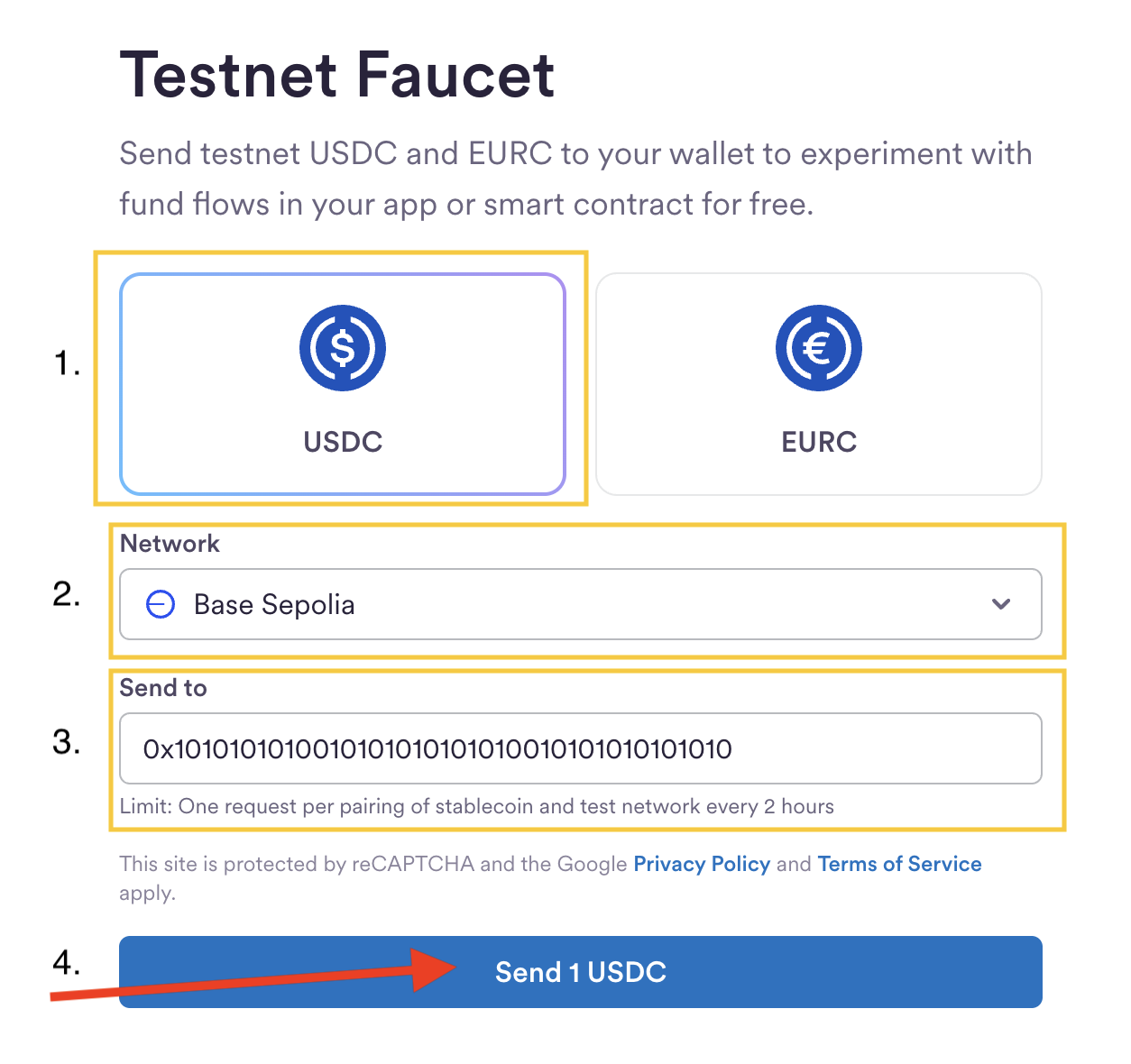
1. Go to [Circle Faucet](https://faucet.circle.com/)
2. Select the following options:
* Token: **USDC**
* Network: **Base Sepolia**
* Send to: **0x\_your\_wallet\_address**
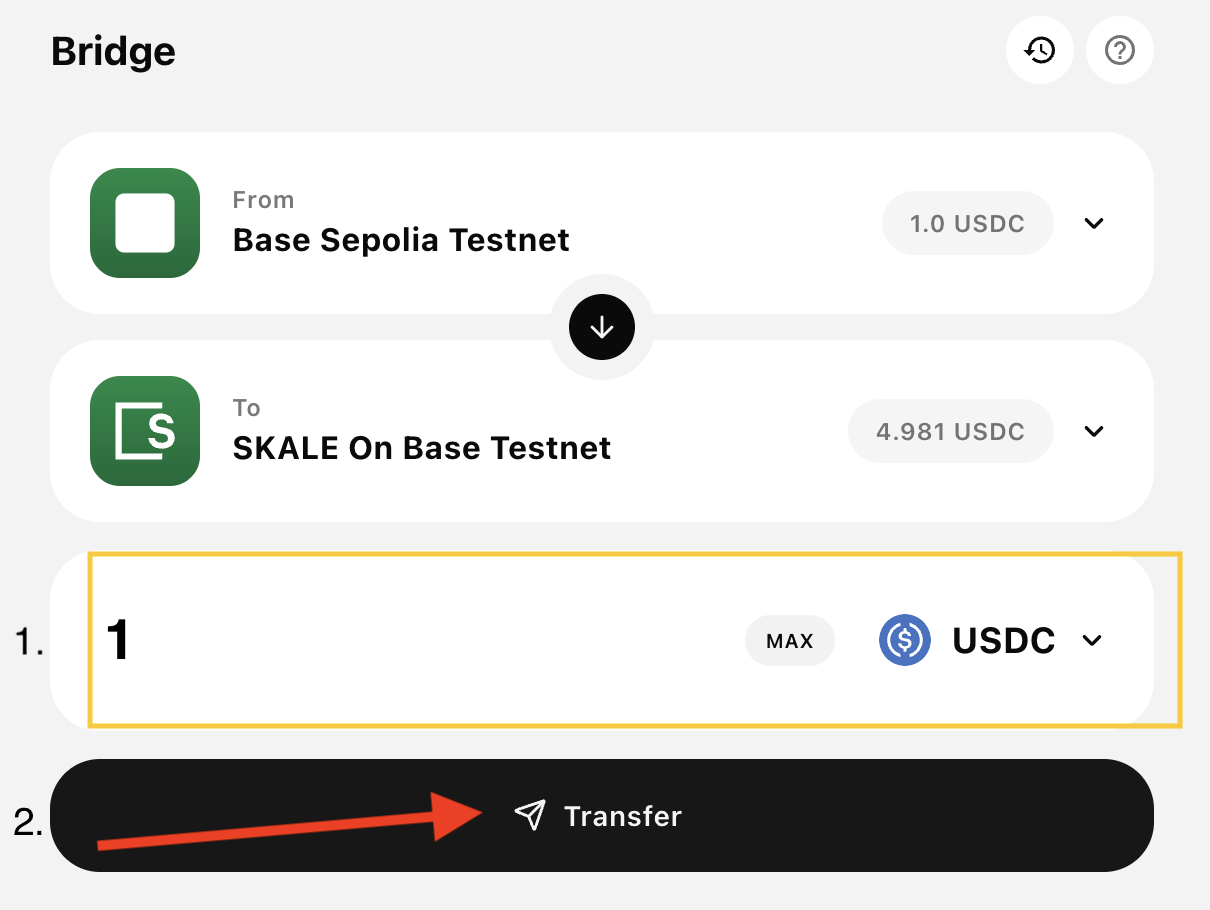
 3. Head to the SKALE Base Portal -- [bridge section](https://base-sepolia.skalenodes.com/bridge?from=mainnet\&to=jubilant-horrible-ancha\&token=usdc\&type=erc20)
4. \[OPTIONAL] Check [here](https://docs.base.org/base-chain/tools/network-faucets) to get some gas to complete the bridge operation.
5. Enter the amount and select bridge
3. Head to the SKALE Base Portal -- [bridge section](https://base-sepolia.skalenodes.com/bridge?from=mainnet\&to=jubilant-horrible-ancha\&token=usdc\&type=erc20)
4. \[OPTIONAL] Check [here](https://docs.base.org/base-chain/tools/network-faucets) to get some gas to complete the bridge operation.
5. Enter the amount and select bridge
 ### Next Steps
Check the SKALE on Base for more chain details
Check the SKALE on Ethereum for more chain details
### Next Steps
Check the SKALE on Base for more chain details
Check the SKALE on Ethereum for more chain details